Below are the ways you can log in and sign up on Simplify.
- Login to Simplify:
- If you already have a Simplify account.
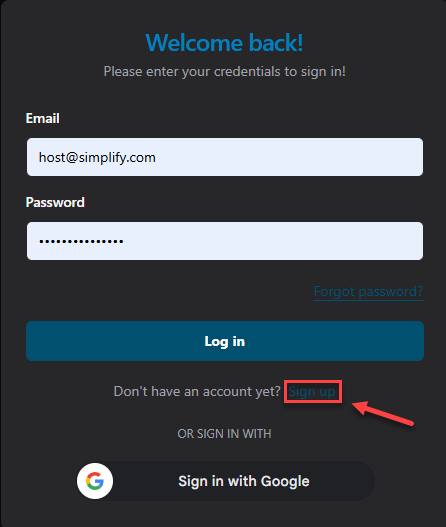
- You can enter your email and password to log in.
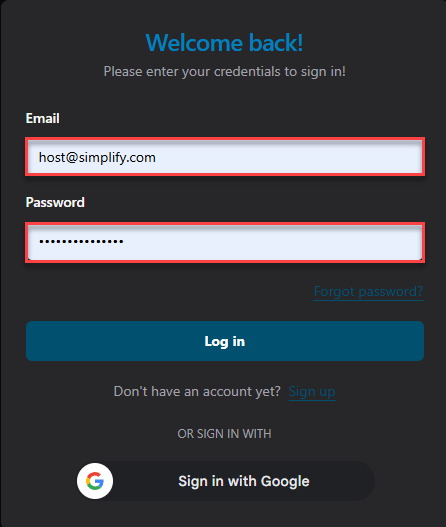
- Then, you can click Login button to login in Simplify.
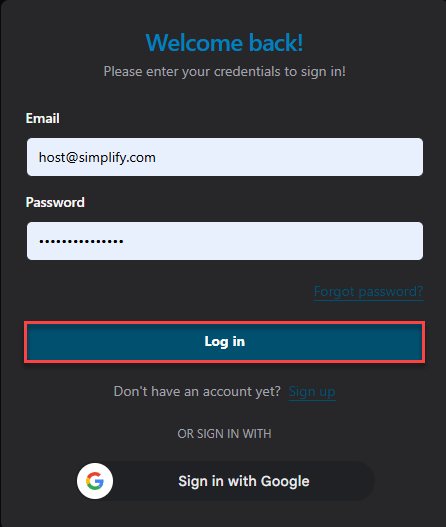
- You can enter your email and password to log in.
- If you forgot password.
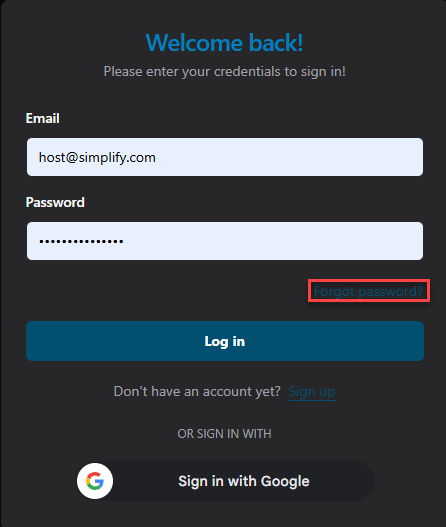
- You can click Forgot Password.
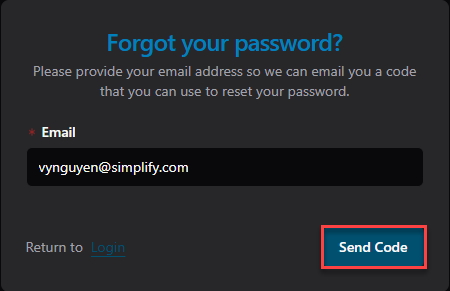
- Enter your email address here.
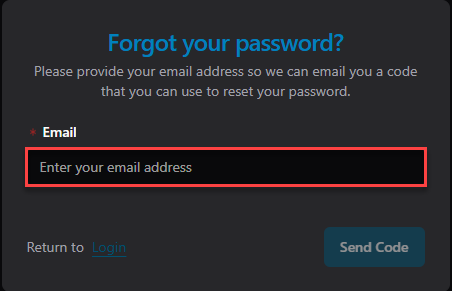
- After you enter your email, you can click Send Code.
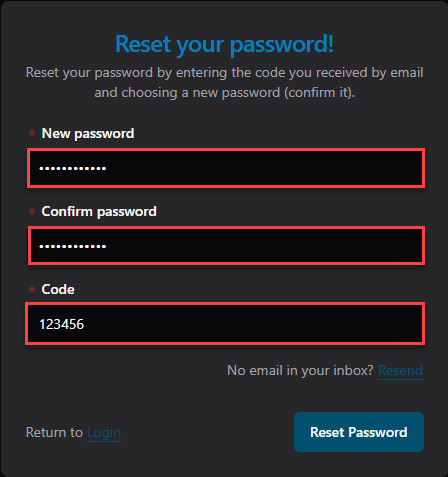
- Then, enter your New Password, Confirm Password, and the Code you received in your inbox.
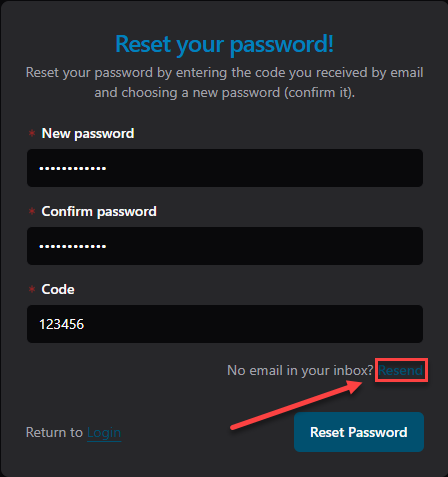
- If you don't see the code in your inbox, you can click Resend.
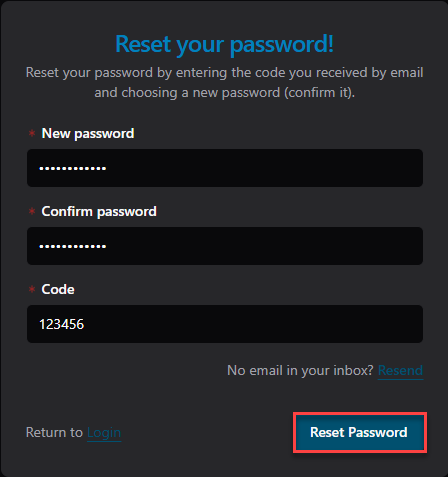
- Once you have the code, enter it in the Code field and click Reset Password.
- You can click Forgot Password.
- If you already have a Simplify account.
- Sign up to Simplify:
- If you don't have an account yet, you can click Sign up to create an account.
- Review Trial Details:
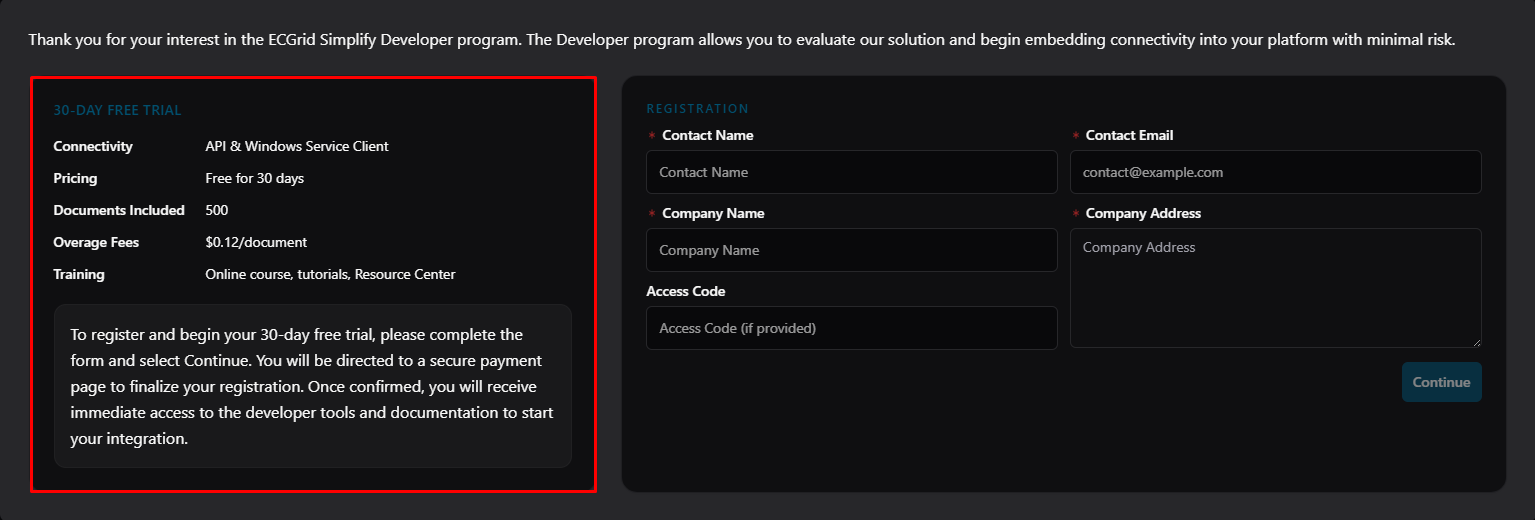
- Understanding Your 30-Day Free TrialThe left panel explains the benefits included in your trial plan. During this 30-day period, you will receive:
- Connectivity: Support for API and Windows Service Client integration.
- Document Allowance: Up to 500 free documents (a $0.12 overage fee applies for each additional document).
- Training Resources: Full access to online courses, tutorials, and the Resource Center.
- To start your trial, simply fill out the registration form and click Continue to set up your secure payment. Once confirmed, you will instantly unlock the developer tools and documentation.
- Understanding Your 30-Day Free TrialThe left panel explains the benefits included in your trial plan. During this 30-day period, you will receive:
- Enter your contact and company details in the required fields.
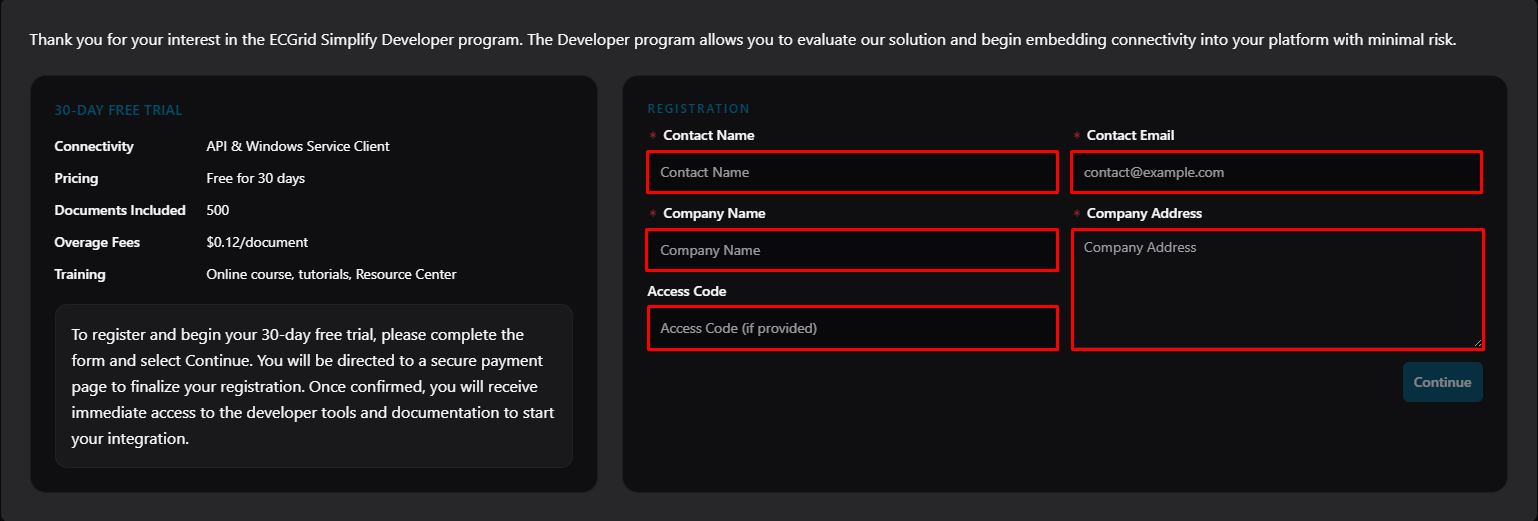
Note: Access Code (If provided): Enter the specific code provided by the ECGrid/Simplify team (e.g., ECGSDM). This code determines your access level or specific trial features. If you were not given a code, leave this field blank.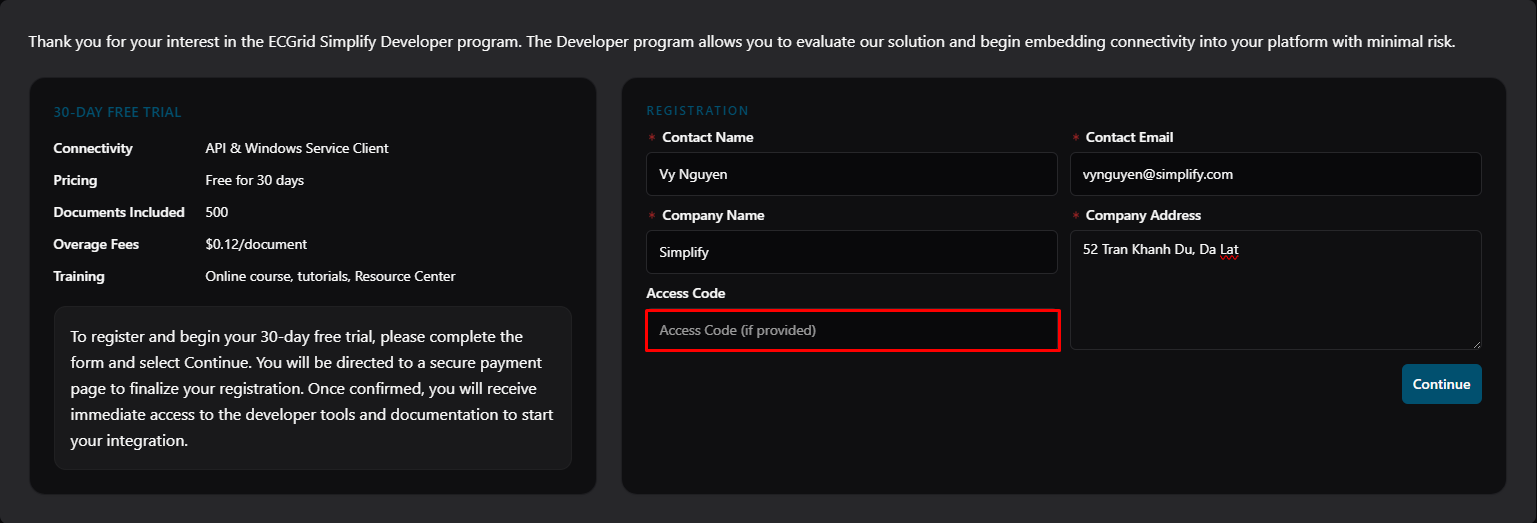
- Then, click Continue button.
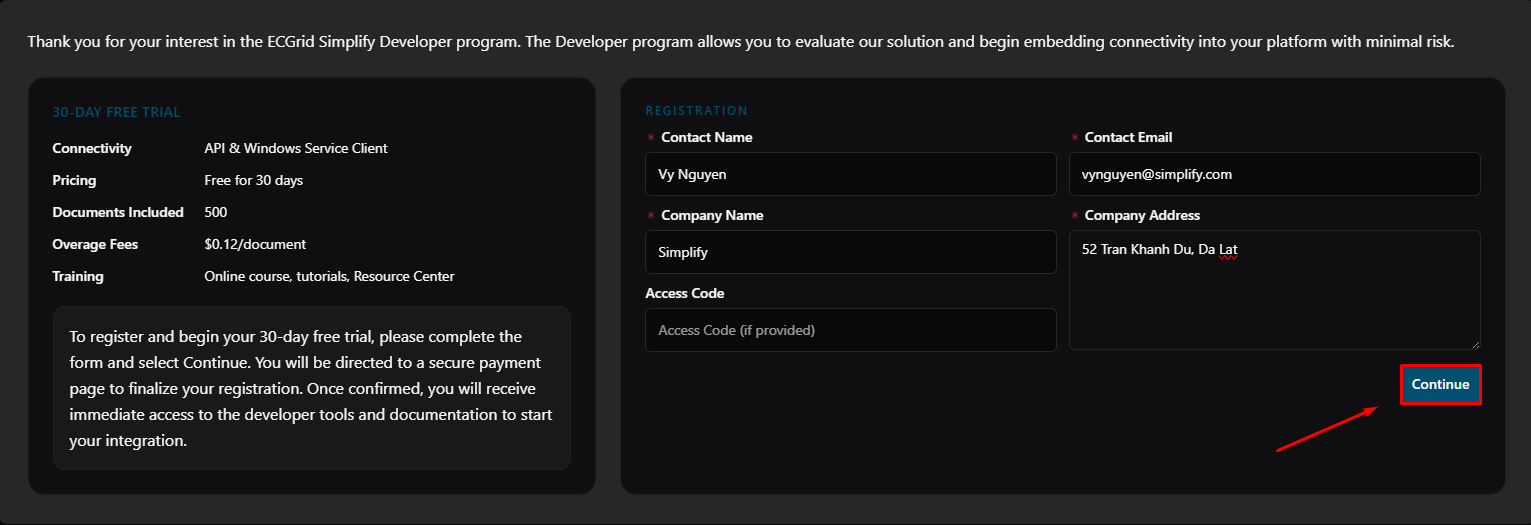
- After clicking Continue, you will be redirected to the secure payment page.
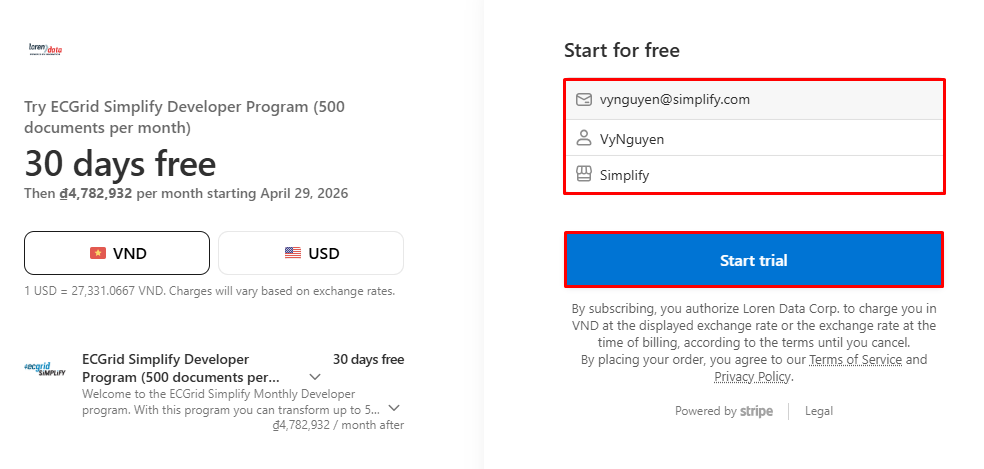
- Select Currency: On the left, choose your preferred billing currency (VND or USD).
- Verify Information: On the right, confirm your email address and enter your Full name and Business name.
- Start Trial: Review the 30-day free trial details and click Start trial to complete your registration. (Note: You will not be charged until the 30-day period ends).
- If you don't have an account yet, you can click Sign up to create an account.
Was this article helpful?
That’s Great!
Thank you for your feedback
Sorry! We couldn't be helpful
Thank you for your feedback
Feedback sent
We appreciate your effort and will try to fix the article