This guide walks you through connecting your Shopify store to ECGrid Simplify using Shopify's Custom App method — the only supported approach since Shopify deprecated private app credentials. Follow all steps in order.
Create the APP:
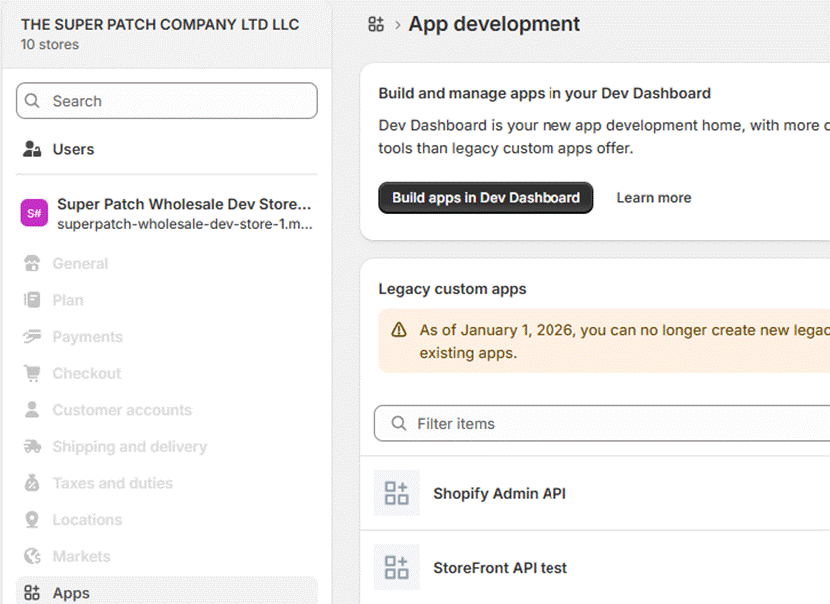
- From your Shopify admin, go to Settings > Apps.
- Click Develop apps.
- Click Build apps in Dev Dashboard.
- From your Dev Dashboard, click Create app.
- In the Start from Dev Dashboard section, name your app, and then click Create.
Configure the App Version
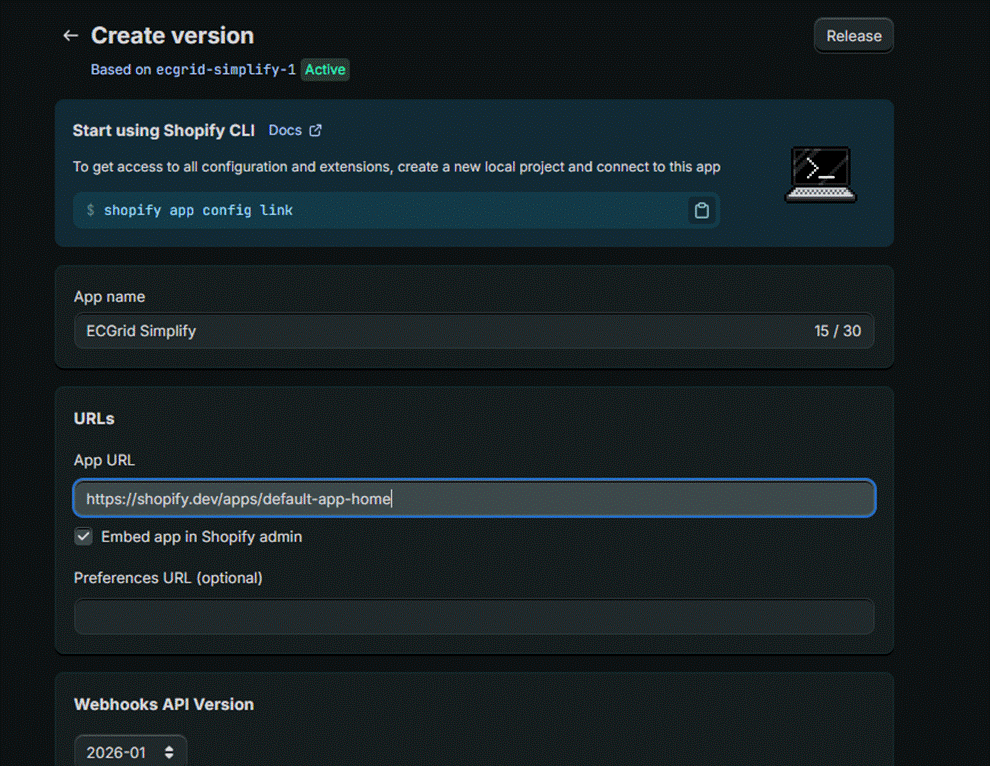
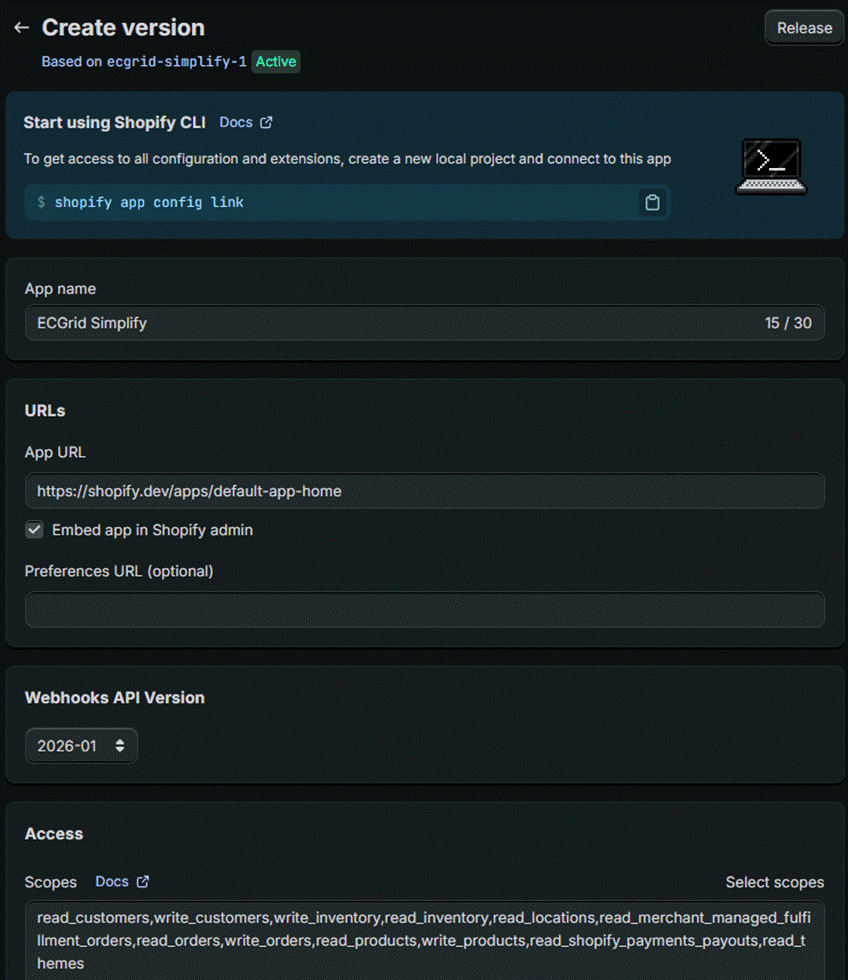
- In the URLs section, define your app URL. If your app isn't embedded in the Shopify admin, then you can use the default URL https://shopify.dev/apps/default-app-home.
- In the Webhooks API Version, select the latest stable version (recommended: 2024-01 or later). Avoid legacy versions as Shopify deprecates older APIs on a rolling basis.
- In the Access section, enter the required API scopes (see Section API Access at the bottom for the full scope list with explanations).
- Click Release.
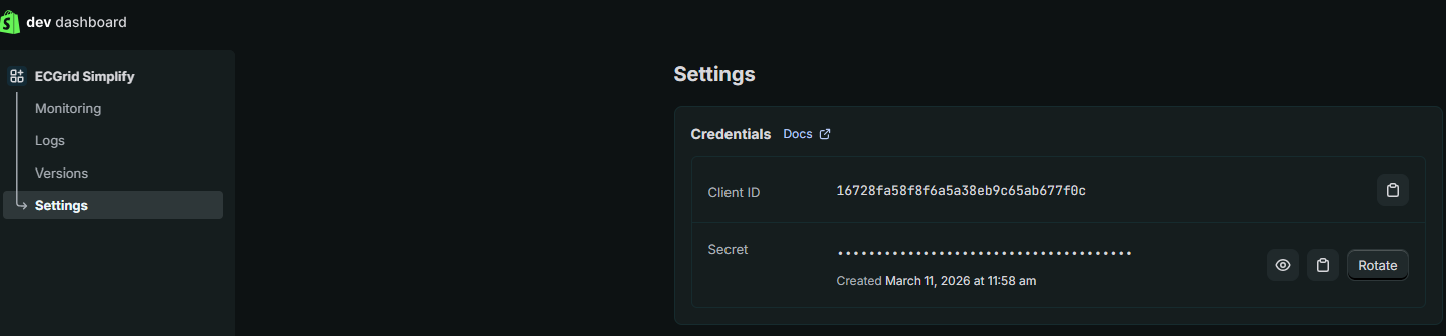
⚠️ Important: Record Your Client ID and Client Secret After creating the app, navigate to the Settings tab in your Custom App. Copy both your Client ID and Client Secret — you will need these for the Simplify Connector. These values are not recoverable without regenerating, which would break an active connection. |
- From your Shopify admin, go to Settings > Apps.
- Click Develop apps then Build apps in Dev Dashboard.
- Click Build apps in Dev Dashboard.
- In the Apps section, click a custom app that you want to install.
- In the Installs section, click Install app.
- Optional: If you have multiple stores, then select a store for which you want to install the app.
- Click Install.
In Simplify website
1. Login to customer
2. Move to "My Connections" page
3. Click "Add Connection" button
4. Choose Shopify
5. Input: Connect Name, Your *.myshopify.com URL (I)
**Do not enter the https:// in front of your shopify store URL**
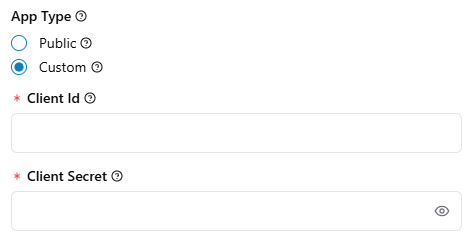
6. Choose "Custom" check
7. Input "Client Id and Client Secret" from the custom app page
8. Click Connect
Field | What to Enter |
Connection Name | A descriptive label (e.g., "Shopify – Main Store") |
Shopify Store URL | Your *.myshopify.com URL only — no https:// prefix |
Custom checkbox | Check this box to enable the Custom App credential fields |
Client ID | Paste from Shopify Dev Dashboard > App credentials |
Client Secret | Paste from Shopify Dev Dashboard > App credentials |
Admin API Access
When configuring your custom app in Step 2B, enter all of the following scopes. Each scope is required for specific EDI document flows:
API Scope | Purpose in Simplify Integration |
write/read_orders | Receive inbound purchase orders (850) and send order acknowledgments (855) |
read_locations | Identify fulfillment locations for ASN (856) generation |
write/read_products | Sync product catalog and UPC/item data for EDI item validation |
write/read_customers | Match trading partner customer records for EDI partner routing |
write/read_inventory | Enable inventory inquiry (846) and update stock levels from EDI feeds |
write/read_merchant_managed_fulfillment_orders | Support retailer-directed fulfillment workflows |
read_themes | Required by Shopify custom app framework (no EDI function) |
read_shopify_payments_payouts | Reconcile remittance advice (820) against payment settlements |
| read_companies |
UPDATING SCOPES: If you update or add new API Scopes in a new Version, you MUST reinstall the app on the store using a new installation link. Simply releasing a new version in the Dashboard will NOT automatically grant those new permissions to an already installed app.
Was this article helpful?
That’s Great!
Thank you for your feedback
Sorry! We couldn't be helpful
Thank you for your feedback
Feedback sent
We appreciate your effort and will try to fix the article
