What is a Condition?
Definition
A Condition is a logical rule configured on a Trigger or Action step that determines whether that step will execute.
Conditions compare a left expression (typically an xpath value from the document) against a right expression (a constant value, another xpath, or a lookup table) using an operator such as Equals, Not Equals, or lookup-based checks.
Account Level
Conditions are configured inside Trigger and Action steps, which are part of Flows managed at the Customer level. A Customer account login is required to access and configure Conditions. |
How Conditions Work
- Multiple conditions can be combined using AND/OR operators.
- Conditions can be grouped into Condition Groups that are themselves linked by AND/OR logic.
- On Action steps, conditions can also reference the previous step's output — including its status, integration status, HTTP response code, or response body — allowing flows to branch based on the result of prior steps.
Where to Find It
Navigate to: Flows → open a Flow → click the settings icon (⚙) on any step → Setup Condition tab (Customer account login required).
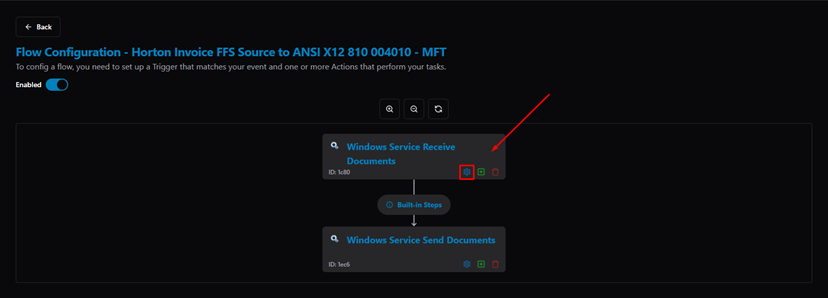
Flow Detail — click the settings icon on a step to open Step Configuration
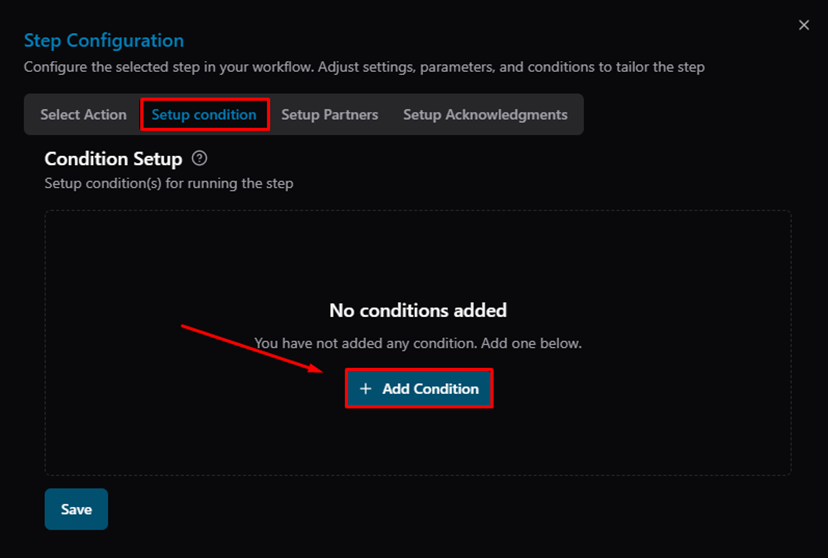
Step Configuration — Setup Condition tab (no conditions added yet)
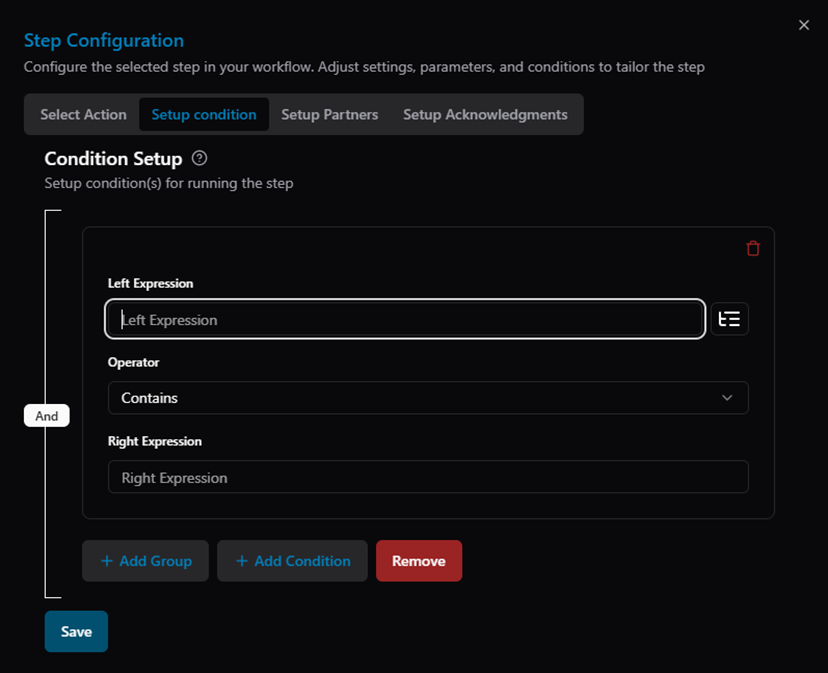
Step Configuration — Condition form with Left Expression, Operator, and Right Expression
Was this article helpful?
That’s Great!
Thank you for your feedback
Sorry! We couldn't be helpful
Thank you for your feedback
Feedback sent
We appreciate your effort and will try to fix the article