
Service Provider Quick Start Guide
V202604
Welcome to Global Product Access.
As a service provider on the GPA network, you have a dedicated reseller portal where you can manage your customer accounts, monitor activity across your network, and customize the platform experience under your own brand. Your customers interact with GPA through an interface that reflects your business, not ours.
This guide walks through the core areas of your portal: the dashboard, branding controls, user management, and common questions that come up during onboarding. Each section includes screenshots from a live environment so you can follow along as you set up.
If you have questions that are not covered here, reach out to your account representative. We are here to help you get operational.
Dashboard
After successfully logging in, you will see the dashboard. The dashboard will contain some important information about your Reseller “network” and sub-accounts.
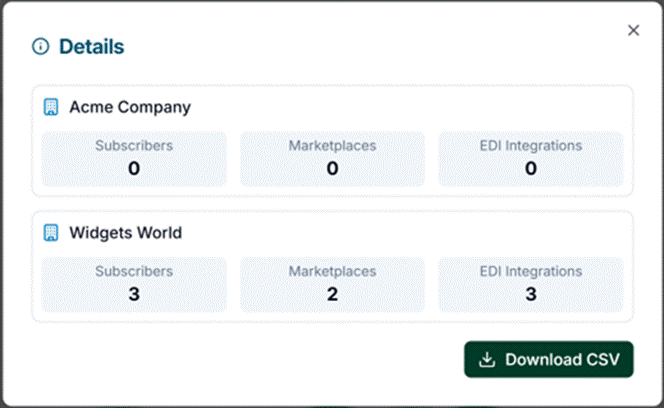
The top row of widgets will show a roll up view of your network. The “Total Connections” will show the total number of subscriptions (retailers, marketplaces, etc.) for all of your accounts. Click on the information icon to see the breakdown of connections by account. You can also download this report to a CSV for your re-billing purposes. This widget will allow you to predict your monthly costs.

Branding
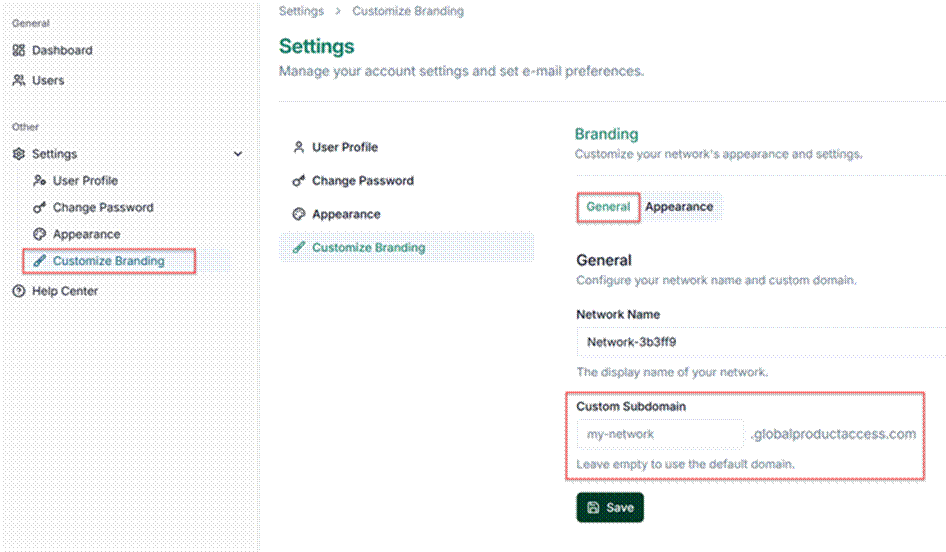
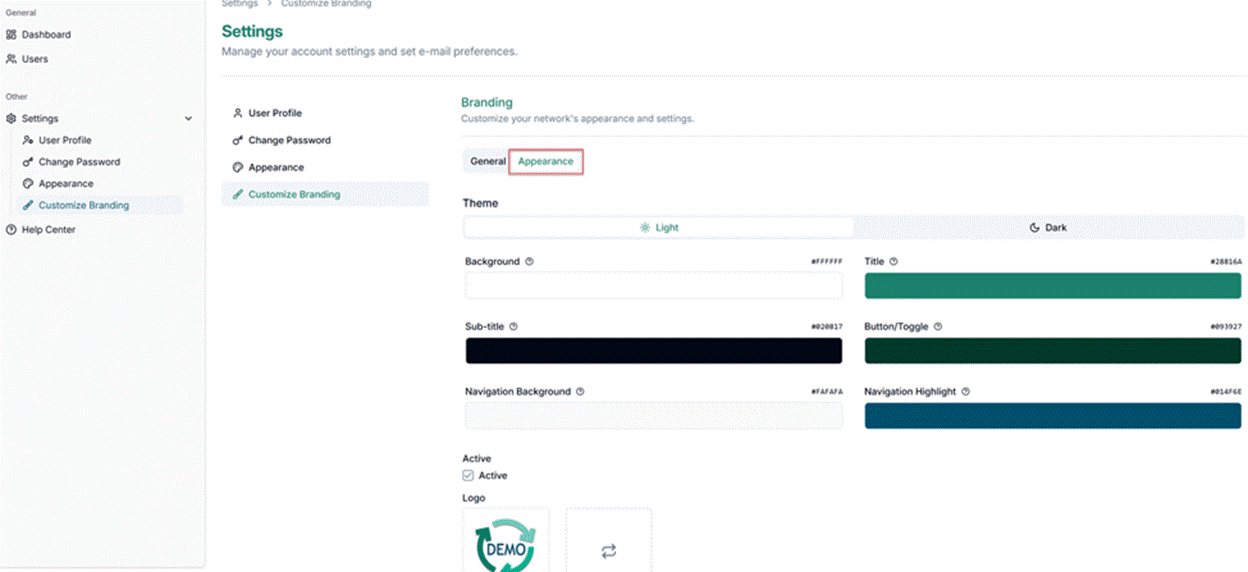
Customize the portal for your company brand and color scheme. You can upload your logo, set your color scheme and choose your subdomain. If you’d like to use your own URL, please reach out to your account representative to discuss this option.
Users
Each of your customers will have their own User Account and Company Admin, on Global Product Access. On our platform, users can both publish products (send products to retailers) and subscribe to catalogs (receive catalog feeds from vendors). These User Accounts will be where your customers can:
- Upload products with hundreds of attributes
- Define custom attributes
- Create catalogs
- Subscribe to published catalogs from other Publishers
- Setup marketplace connectivity
- Send and receive EDI documents
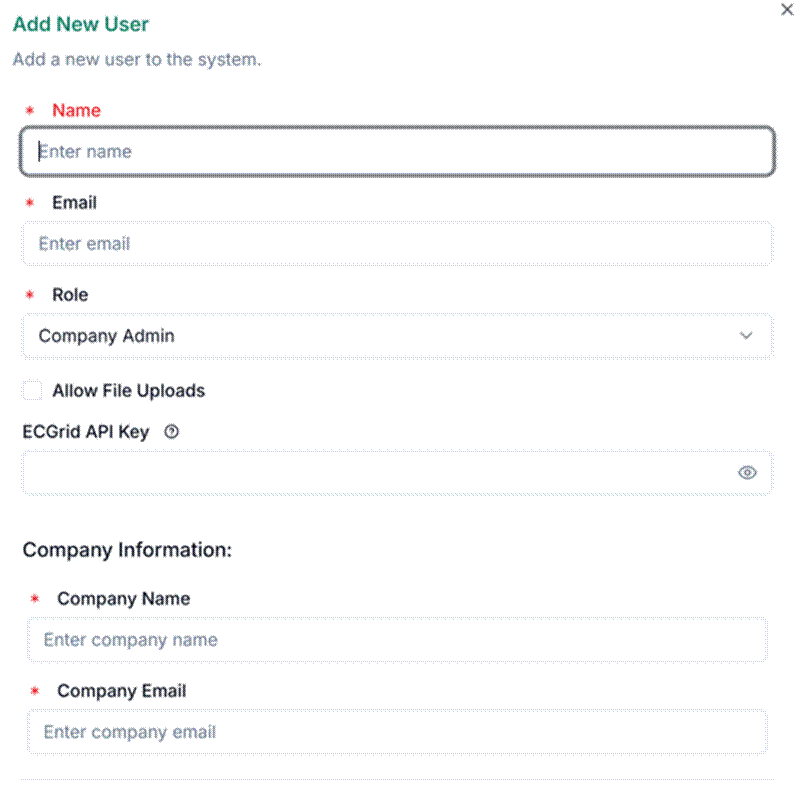
To add a new user account, you can do it manually or by a custom signup link.
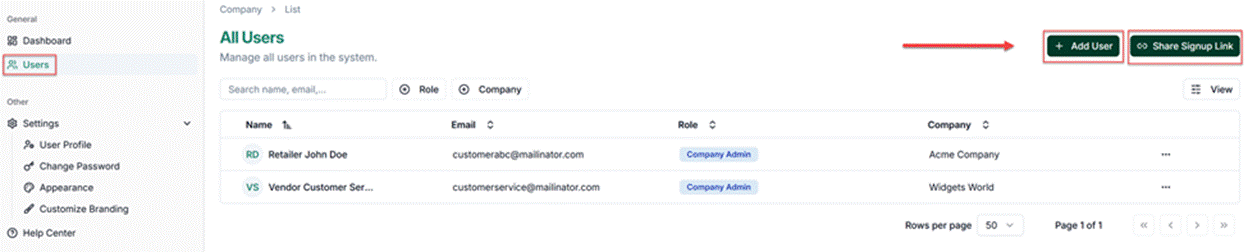
Enter the main user’s name and email address. The company information at the bottom will be visible on the public, searchable catalog. This should be a contact email address to discuss questions about the catalog or to set up a partnership.
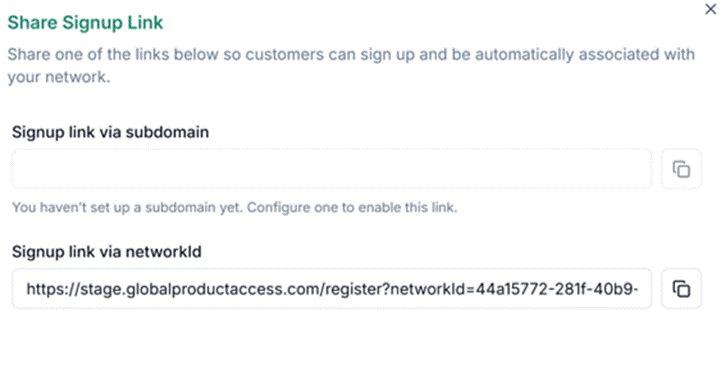
Self-Registration Link
To enable self-registration, share the custom signup link with customers. Accounts created through this link are automatically registered under your network. Use the Share Signup Link button to generate and copy the link.

Was this article helpful?
That’s Great!
Thank you for your feedback
Sorry! We couldn't be helpful
Thank you for your feedback
Feedback sent
We appreciate your effort and will try to fix the article