What is an Action?
Definition
An Action is a step in a Flow that runs after the Trigger, defining how the system sends or processes a file. Each action is tied to a Connector, a Document Type, and a Connection.
Account Level
Actions are configured inside Flows, which are managed at the Customer level. A Customer account login is required to access and configure Action steps. |
Available Actions (Connector Actions)
All available actions are listed in Advance Config → Connector Actions. Each row shows the Connector, Action Name, whether it is a Trigger-type action (✓), and the supported Document Types:
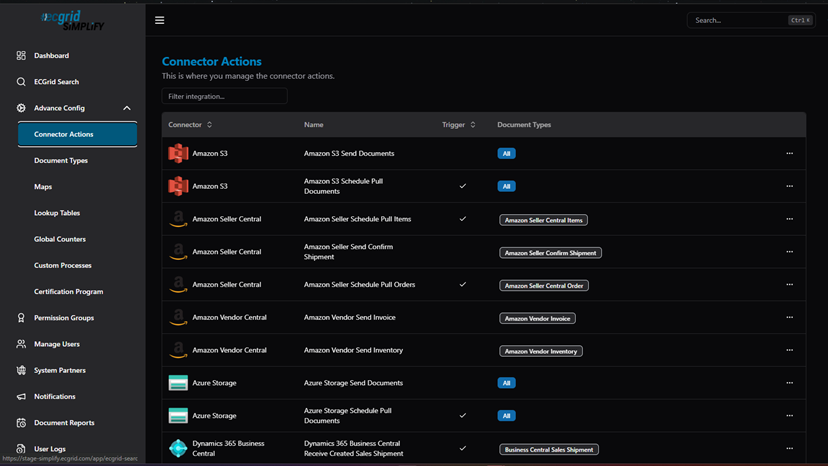
Connector Actions — full list of available actions by connector (Amazon S3, Amazon Seller Central, Azure Storage, Dynamics 365, etc.)
Types of Actions
- Send Action — Sends the processed file from Simplify out to an external connection. A special case is the Windows Service Send, where the file is marked as WaitingForDownload until a local Windows Service downloads it.
- Receive / Pull Action — Pulls or receives files from a connection. These are typically used as Triggers but can appear as action steps in certain connector types.
- Execute Action — Processes the file within Simplify internally without sending to an external destination.
Where to Find It
Navigate to: My Flows → Flows → click ··· → Config to open the Flow Configuration:
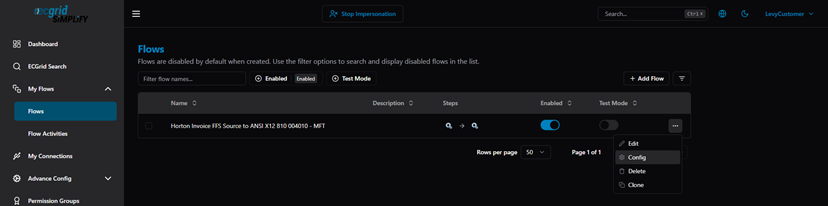
Flows list — ··· menu (Edit / Config / Delete / Clone)
Click the settings icon (⚙) on any step (Trigger or Action) to open its Step Configuration:
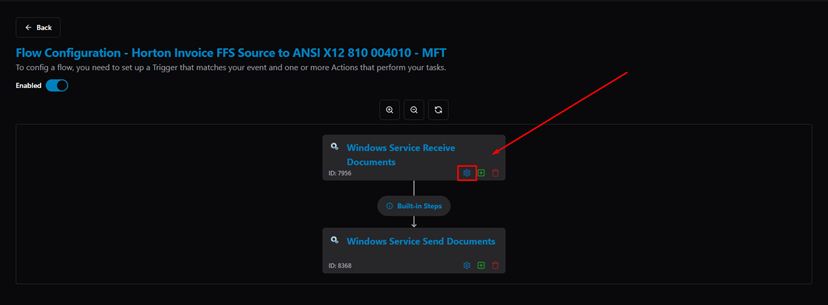
Flow Configuration — settings icon on the Trigger step highlighted
In the Step Configuration dialog, the Select Action tab shows the current Action, Document Type, and Connection:
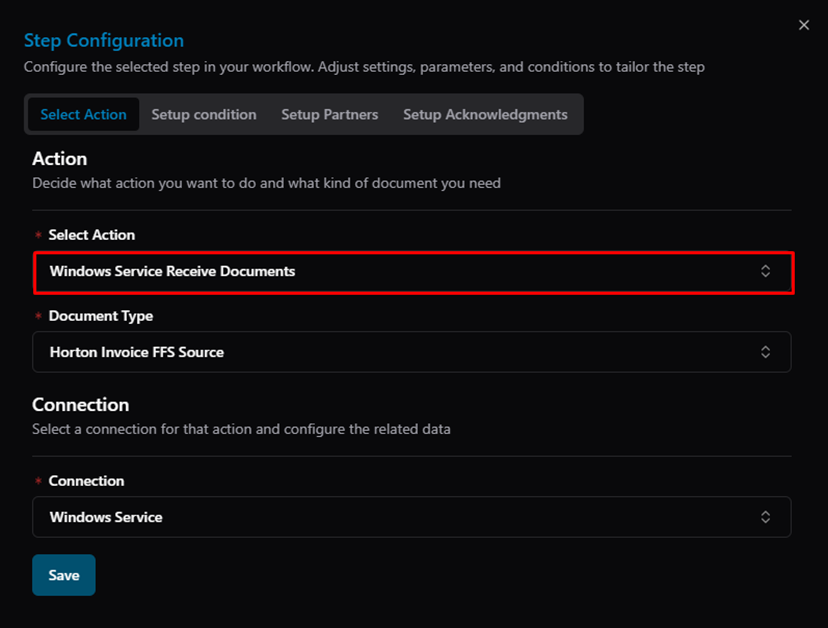
Step Configuration — Select Action tab: Action (Windows Service Receive Documents), Document Type, Connection
Additional Configuration
Each Action step can also include:
- Setup Condition — to control whether the step runs based on document content or previous step results.
- Setup Partners — to assign specific trading partners to this step.
- Setup Acknowledgments — to configure acknowledgment handling for EDI document types.
Related Articles
For more details, refer to the following articles in the Knowledge Center:
Was this article helpful?
That’s Great!
Thank you for your feedback
Sorry! We couldn't be helpful
Thank you for your feedback
Feedback sent
We appreciate your effort and will try to fix the article