There are several reasons an invoice won't match a report. Please check the following potential reasons for discrepancies:
Carbon Copies/Data Forwarding: In some cases, KCs from carbon copies or data forwards are not billed and will not be counted towards your invoice, but the KCs are included in your reports.
Cancelled Interchanges: KCs from cancelled interchanges will show up on your reports, but will not be counted towards your invoice, because they were not successful.
Data sent internally within the network: In some cases, KCs sent from one mailbox to another mailbox on the same network is not included on the invoice.
Files not in a successful/Completed status: Files that are not in a successful or Completed status at the time of the report, will not be counted towards your invoice.
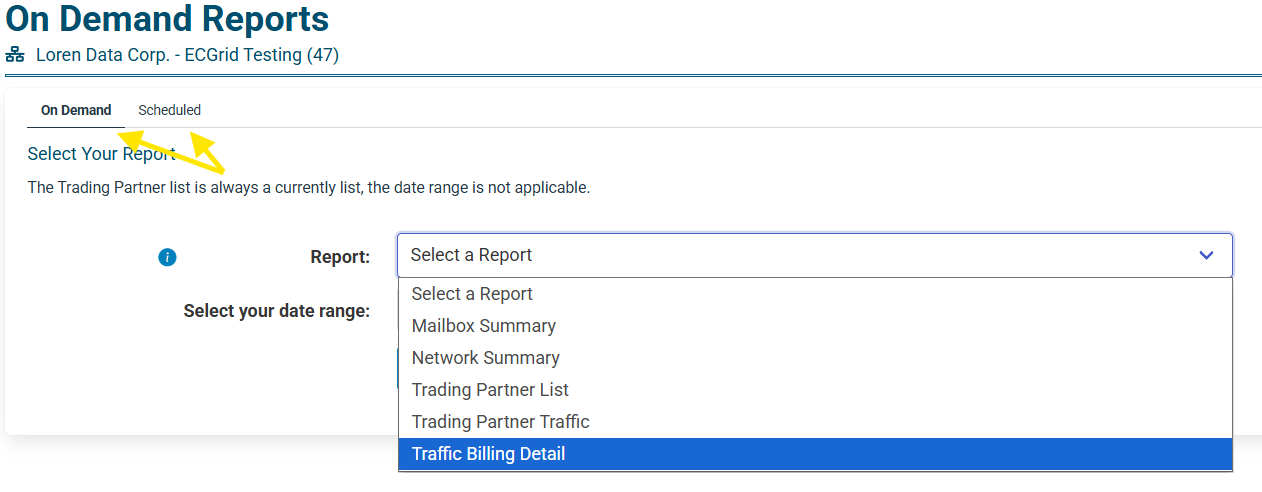
The report that most closely matches your invoice is the Traffic Billing Report, which can be downloaded on demand or scheduled to be emailed to you regularly from the Reports & Invoices page on your portal page:
Was this article helpful?
That’s Great!
Thank you for your feedback
Sorry! We couldn't be helpful
Thank you for your feedback
Feedback sent
We appreciate your effort and will try to fix the article