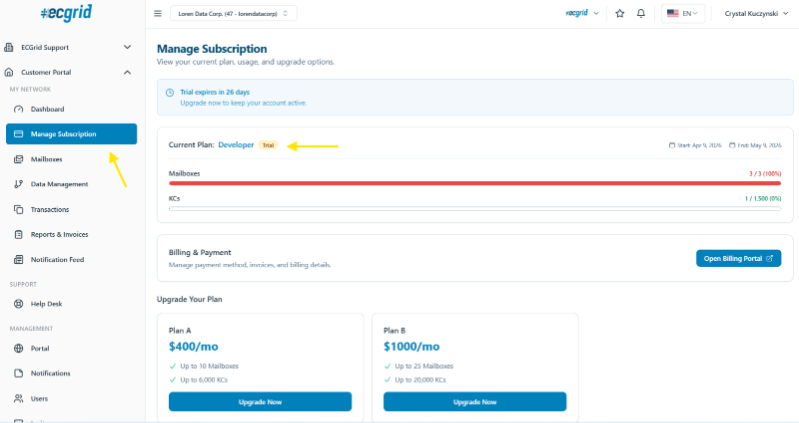
Your Developer program allows you to upgrade your tier through self-service. Go to your Manage Subscription tab on your left side navigation panel. From there, you will see your current tier, your tier allowances, and options to upgrade.
To upgrade your tier, choose the tier that is right for you and click on the Upgrade Tier button for that option. It will take you to the billing page for that tier.
Once you successfully update your subscription on the billing page, your current tier will be automatically cancelled and your new tier allowances will be enabled.
If you are on the highest tier and need additional allowances, please reach out to our Sales team for a custom price plan. You can schedule a call with them by clicking HERE.
Was this article helpful?
That’s Great!
Thank you for your feedback
Sorry! We couldn't be helpful
Thank you for your feedback
Feedback sent
We appreciate your effort and will try to fix the article