Simplify will automatically create a 997 for any inbound X12 EDI document and send it back during the initial flow.
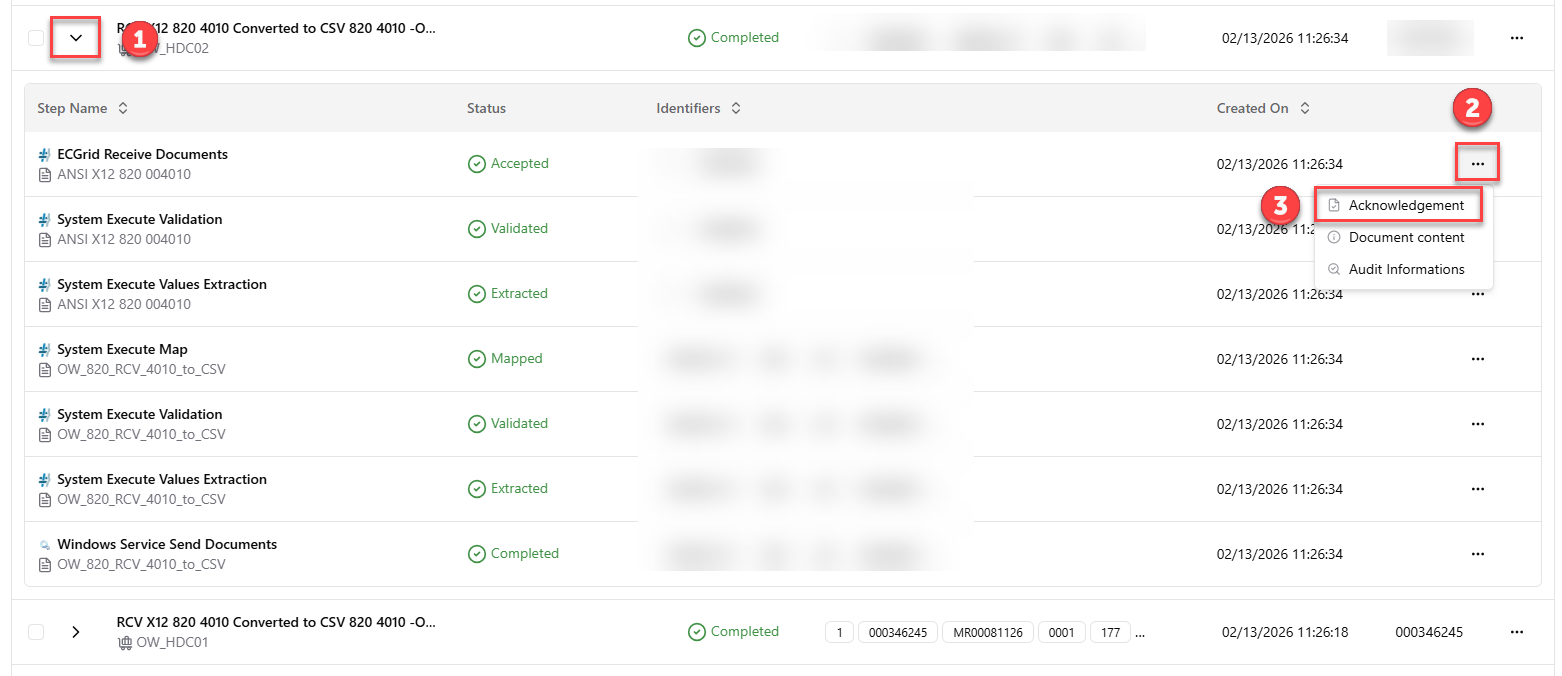
To find the 997, you search for the inbound document (850, 820, etc...) and then click the arrow on the left side to expand the flow (#1). One the first step of the flow, you can view the acknowledgement for that received EDI document by clicking on the 3 dots (#2) and selecting the "Acknowledgement" option (#3).
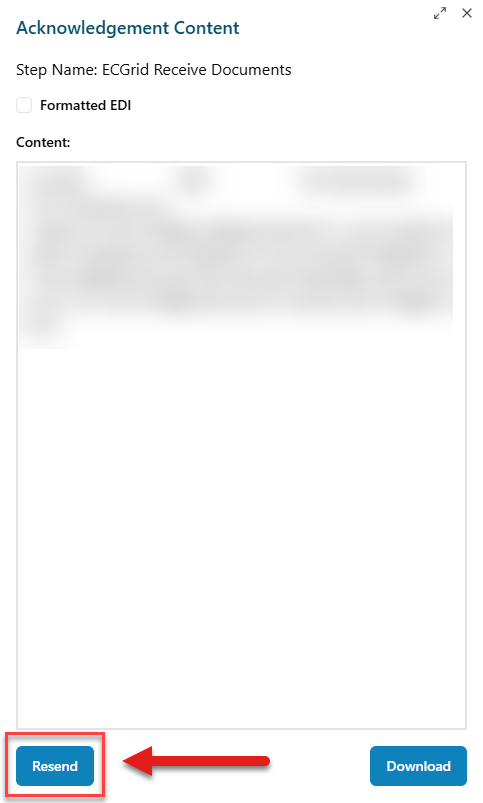
After selecting "Acknowledgement", it will show the 997 in a viewing pane. From there, you can click "Resend" if you need to resend the 997.
Was this article helpful?
That’s Great!
Thank you for your feedback
Sorry! We couldn't be helpful
Thank you for your feedback
Feedback sent
We appreciate your effort and will try to fix the article